 Jul 04, 2026 - 0
Minutes read
Jul 04, 2026 - 0
Minutes read
Best Mini Projector for FIFA World Cup 2026
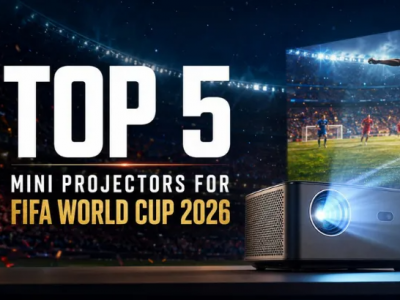
Mini Projector for FIFA World Cup
Best Mini Projector for FIFA World Cup: Enjoy Big-Screen Football at Home
A mini projector is one of the best ways to watch the FIFA World Cup at home. Compact, affordable, and easy to set up, modern mini projectors deliver screen sizes of 100 inches or more—turning any wall or blank surface into a personal stadium. Look for at least 300 lumens, 1080p resolution, and Wi-Fi connectivity for the best experience.
Missing a goal because you're squinting at a small screen is frustrating—especially when the World Cup only comes around every four years. A TV works fine for everyday viewing, but it rarely captures the scale and atmosphere that makes football so thrilling to watch live. The good news? A mini projector can fill that gap, and it doesn't require a dedicated home theater or a complicated setup.
In this guide, you'll learn exactly how to pick the right mini projector for the FIFA World Cup, what features actually matter (and which ones are just marketing noise), and how to get your setup ready before kickoff. Whether you're planning a backyard watch party or a living room movie-night-style viewing session, this guide will help you find the right fit.
Why a Mini Projector Is Great for Watching the FIFA World Cup
The FIFA World Cup is one of the most-watched sporting events on Earth, drawing over 1.5 billion viewers for major matches. Watching it on a 50-inch TV is perfectly fine—but watching it on a 120-inch projected screen with friends and family is something else entirely.
Mini projectors have improved significantly in recent years. Entry-level models now offer 1080p resolution, built-in speakers, and Wi-Fi streaming at a fraction of the cost of a large-format TV. More advanced options support 4K resolution and can run for hours on a built-in battery, making them genuinely portable. For a month-long tournament like the World Cup, that flexibility is a real advantage.
There's also the social side. A projector creates a shared experience that a standard TV struggles to match. You can set one up in a garden, garage, basement, or living room—and suddenly a group of 15 people can all see the screen clearly, without anyone craning their neck from the side.
How to Choose a Mini Projector for the FIFA World Cup Step-by-Step
Buying a projector without a clear plan can lead to disappointment. A model that looks impressive in a product listing might struggle in your actual viewing environment. Follow these steps before making a decision.
Step 1: Identify where you'll be watching
Indoor setups with darkened rooms are the most forgiving. You can use a lower-brightness projector (300–500 lumens) and still get a clear, vivid picture. Outdoor viewing in the evening is also manageable with a mid-range model. Watching outdoors in daylight, however, requires at least 1,000–2,000 lumens—and ideally more.
Step 2: Set a realistic budget
Mini projectors range from around $80 to well over $1,000. For most World Cup viewers, a $200–$500 model hits the sweet spot—offering solid brightness, 1080p resolution, and Wi-Fi or Bluetooth connectivity without overspending on features you won't use.
Step 3: Decide on portability
If you want to move the projector between rooms or take it outdoors, look for battery-powered models with a carrying handle or compact form factor. If it will stay in one place, a plug-in model typically offers better brightness and longer lamp life.
Step 4: Check your internet and streaming setup
Most modern mini projectors include built-in Android TV or Wi-Fi streaming. If yours doesn't, you'll need an HDMI-connected streaming stick (like a Firestick or Chromecast) or a laptop/phone connection. Confirm your projector supports the connectivity you plan to use before purchasing.
Best Mini Projector Options: Portable, 4K, Wi-Fi, or Battery-Powered?
There's no single "best" mini projector—it depends on how you plan to watch. Here's a breakdown of the main categories:
- Portable/battery-powered projectors (e.g., Anker Nebula Capsule series): Best for outdoor watch parties or moving between locations. Battery life typically runs 2–3 hours, which covers most match durations. Trade-off: lower brightness compared to plug-in models.
- 1080p Wi-Fi projectors (e.g., Epson EF-100, BenQ GP10): The best all-around option for most viewers. Full HD resolution, built-in streaming, and enough brightness for indoor use. Good value for money.
- 4K mini projectors (e.g., LG HU70LA, Optoma UHZ50): Ideal for dedicated home theater setups. Stunning clarity for premium football broadcasts, but higher cost and typically not as portable.
- Budget-friendly models (e.g., Vankyo Leisure 3W, Kodak Luma 150): Affordable and easy to use. Resolution and brightness are limited, but workable for small, dark rooms with a small group.
Choose a battery-powered model if portability matters more than peak image quality. Choose a 1080p Wi-Fi projector if you want the best balance of quality and value. Choose a 4K model if image quality is the top priority and budget isn't a concern.
Key Features to Look For: Brightness, Resolution, Sound, and Connectivity
How many lumens do you actually need for watching football?
Brightness is measured in lumens, and it's the single most important spec for projector clarity. For a darkened indoor room, 300–500 lumens is sufficient. For a room with some ambient light, aim for 700–1,500 lumens. For outdoor evening viewing, 1,500–3,000 lumens gives you a clear, bright image even with a bit of light pollution.
What resolution is best for watching the FIFA World Cup?
1080p (Full HD) is the minimum recommended resolution for watching football. It delivers sharp player movement, clear jersey numbers, and readable on-screen graphics. 4K offers an even crisper image, particularly on larger screens above 150 inches. Standard HD (720p) is acceptable for smaller screens in very dark rooms but will look noticeably softer on a large projected surface.
Does sound quality matter in a mini projector?
Built-in speakers on most mini projectors range from average to decent. For a solo viewing session, they're usually fine. For a group setting—especially if you want to feel the crowd noise—connecting a Bluetooth speaker or soundbar makes a meaningful difference. Look for projectors with Bluetooth output so you're not limited to tinny built-in audio.
What connectivity options should a mini projector have?
At minimum, look for: HDMI input, USB port, Wi-Fi, and Bluetooth. HDMI lets you connect a streaming stick, laptop, or gaming console. Wi-Fi enables direct streaming from apps. Bluetooth allows external speaker pairing. Some models also support AirPlay or Miracast for wireless phone mirroring—useful if you're streaming from a mobile device.
How to Set Up a Mini Projector for the Best Football Viewing Experience
A great projector with a poor setup will still deliver a mediocre experience. These steps will help you get the most out of your equipment before the opening match.
1. Choose the right surface. A dedicated projection screen delivers the sharpest image, but a smooth, white wall works well in most cases. Avoid textured or colored walls—they wash out colors and reduce contrast.
2. Control the light. Close blinds or curtains during daytime matches. Even a modest reduction in ambient light makes a significant difference to image quality, especially with lower-brightness projectors.
3. Set the correct throw distance. Most mini projectors include a chart or calculator showing the relationship between distance and screen size. Position the projector far enough back to fill your surface without losing focus.
4. Adjust keystoning. Keystoning corrects the trapezoidal distortion that occurs when a projector isn't perfectly centered. Most modern models include automatic keystone correction. Fine-tune it manually if needed for a perfectly rectangular image.
5. Optimize your audio. Position your Bluetooth speaker centrally and at ear level for even sound distribution. If you're using a soundbar, sync it with the projector before guests arrive to avoid lag.
6. Test your streaming connection. Run a speed test before the match. Streaming 1080p reliably requires at least 10 Mbps; 4K streaming needs 25 Mbps or more. Use a 5GHz Wi-Fi connection when possible to reduce buffering.
Make the World Cup Worth Watching
A mini projector won't replace the feeling of being in a stadium—but it gets closer than you might expect. With the right model, a controlled viewing environment, and a solid audio setup, you can create a genuinely immersive football experience at home.
The key is matching the projector to your specific situation. Prioritize brightness if you're watching outdoors or in a bright room. Prioritize resolution if you're setting up a dedicated indoor space. And always check connectivity before purchasing, so your streaming setup doesn't let you down at kickoff.
The next FIFA World Cup is coming. Start planning your setup now, and you'll be ready well before the first whistle blows.
Frequently Asked Questions
Is a mini projector good for watching the FIFA World Cup?
Yes—a mini projector is an excellent option for World Cup viewing, especially for groups. Modern mini projectors support 1080p or 4K resolution, produce screen sizes of 100 inches or more, and connect directly to streaming services via Wi-Fi. For the best results, use one in a darkened room and pair it with an external speaker for richer sound.
How many lumens do I need for watching football on a projector?
For indoor viewing in a dark room, 300–500 lumens is enough. If your room has some ambient light, aim for at least 1,000 lumens. Outdoor evening viewing requires 1,500–3,000 lumens for a clear image. As a general rule, more lumens give you more flexibility—especially if you can't fully control the lighting in your space.
Can I connect a mini projector to a phone or laptop?
Yes—most mini projectors support multiple connection methods. You can connect wirelessly via Wi-Fi screen mirroring (AirPlay for iPhones, Miracast or Chromecast for Android), or use a physical HDMI cable with an appropriate adapter for laptops and some phones. Check your projector's supported connection types before purchasing to ensure compatibility with your devices.
Is 1080p enough for watching the World Cup?
Yes, 1080p is more than sufficient for most viewers. Full HD resolution delivers sharp, detailed images at screen sizes up to 120 inches without noticeable quality loss. 4K offers a step up in clarity—particularly on very large screens—but requires a 4K-capable projector, a 4K broadcast source, and a fast internet connection. For casual home viewing, 1080p is the sweet spot.
Can I use a mini projector outdoors for football matches?