 Jul 21, 2026 - 0
Minutes read
Jul 21, 2026 - 0
Minutes read
Best Motherboards: Features, Types & Buying Guide
Best Motherboards to Buy.
Looking for the best motherboard? Learn how to choose by chipset, socket, RAM, and use case—gaming, budget, or workstation. Your complete buying guide.
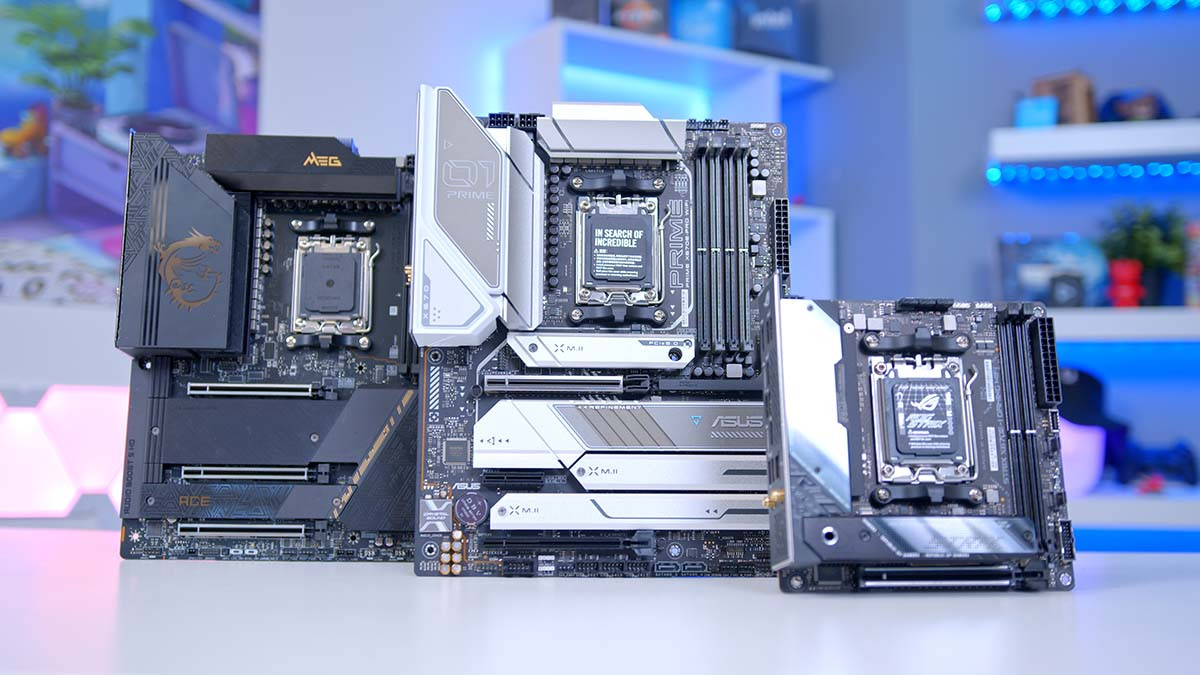
The best motherboard depends on your CPU, use case, and budget. For gaming, look for Z790 or X670E chipsets with PCIe 5.0 support. For budget builds, B650 or B760 boards offer strong value. Workstation users benefit from high RAM capacity and ECC support, available on boards like AMD's TRX50 platform.
Picking the wrong motherboard can quietly ruin an otherwise great PC build—causing compatibility issues, bottlenecked performance, or wasted money on features you'll never use. With hundreds of options on the market, it's easy to feel overwhelmed before you've even started.
This guide cuts through the noise. By the end, you'll know exactly what to look for, which motherboard types suit your needs, and how to avoid the most common buying mistakes—whether you're building a gaming rig, a budget workstation, or a high-performance content creation machine.
Why Choosing the Right Motherboard Is Important
The motherboard is the backbone of every PC. Every component—your CPU, RAM, GPU, and storage—connects to it. Get the wrong one, and your processor might not even seat properly. Get the right one, and it quietly enables everything else to perform at its best.
Beyond compatibility, a motherboard determines your upgrade path. A board with limited PCIe slots or outdated RAM support will hold you back long before the rest of your system does. According to PC component analysts at Tom's Hardware, motherboard limitations are among the top three reasons users hit unexpected performance ceilings within two years of building a PC.
There's also the long-term reliability factor. Cheaper boards often cut corners on power delivery, which matters if you're running a high-end CPU under sustained load. Investing a little more upfront in a quality board often means fewer headaches—and fewer component replacements—down the line.
How to Choose the Best Motherboard (Step-by-Step)
Step 1: Start with your CPU
CPU and motherboard compatibility is non-negotiable. Intel and AMD CPUs each require specific socket types, and not every chipset works with every processor. For example, Intel's 13th and 14th Gen Core processors use the LGA1700 socket, while AMD's Ryzen 7000 series requires AM5. Always confirm socket compatibility before anything else.
Step 2: Define your use case
Are you building for gaming, productivity, content creation, or budget everyday use? Each use case has different requirements. A casual home office PC doesn't need the same power delivery circuitry as a video editing workstation running a 16-core CPU.
Step 3: Set a realistic budget
Motherboards range from around $80 to well over $600. The good news: mid-range boards in the $150–$250 range hit a sweet spot for most users, offering solid features without the premium price of enthusiast-tier options.
Step 4: Check RAM and storage compatibility
Confirm that the board supports your desired RAM type (DDR4 or DDR5), speed, and total capacity. Also check the number of M.2 slots for NVMe SSD storage—most modern builds benefit from at least two.
Step 5: Think about future-proofing
PCIe 5.0 support, USB4, and Wi-Fi 6E are quickly becoming standard. If you plan to keep this build for several years, spending slightly more on a board with modern connectivity options is a smart move.
Best Motherboard Types: Gaming, Budget, Workstation, and High-Performance Options
What are the best gaming motherboards?
Gaming motherboards prioritize fast data transfer, low latency, and strong overclocking support. The best options typically feature Z-series chipsets for Intel or X-series for AMD, both of which unlock CPU overclocking.
Top picks in this category include boards based on Intel's Z790 chipset and AMD's X670E chipset. These support PCIe 5.0 for both GPU and NVMe SSD slots, ensuring your gaming rig stays relevant as next-gen peripherals roll out. Look for robust VRM (Voltage Regulator Module) phases—12 or more is ideal for demanding CPUs—and high-speed RAM support up to DDR5-6400 or beyond.
For competitive gamers who care about network performance, boards with 2.5G LAN ports and Wi-Fi 6E provide noticeably lower latency compared to standard 1G connections.
What are the best budget motherboards?
Budget doesn't mean bad. AMD's B650 and Intel's B760 chipsets deliver excellent performance at a lower price point, making them the go-to choices for cost-conscious builders.
These boards typically support overclocked RAM (even if CPU overclocking is locked), multiple M.2 slots, and USB-C connectivity. The trade-off is usually fewer PCIe lanes and simpler VRM designs, which is perfectly acceptable for mid-range CPUs like the Intel Core i5-13600K or AMD Ryzen 5 7600.
What are the best workstation and high-performance motherboards?
Professional workstations demand reliability, memory capacity, and I/O flexibility. AMD's TRX50 platform—paired with Threadripper Pro CPUs—supports up to 2TB of ECC RAM and multiple PCIe 5.0 x16 slots for GPU or accelerator cards. This is the territory of 3D artists, video editors, and machine learning engineers.
For those who don't need Threadripper-level power, high-end consumer boards based on Intel's X299 or AMD's X670E with 128GB+ DDR5 support offer a compelling middle ground between workstation and mainstream performance.
Key Features to Consider When Buying a Motherboard
Chipset: What does it actually control?
The chipset determines which CPUs the board supports, how many USB ports and PCIe lanes are available, and whether overclocking is possible. Higher-tier chipsets (Z790, X670E) offer more features; mid-tier options (B760, B650) lock some functionality but cost less.
Socket Compatibility: Why does it matter so much?
The CPU socket physically connects your processor to the board. A mismatched socket means the CPU simply won't fit. Common sockets right now include LGA1700 (Intel 12th–14th Gen), AM5 (AMD Ryzen 7000), and SP5 (AMD EPYC server processors). Always double-check the CPU and board socket before purchasing.
RAM Support: How much memory can a motherboard handle?
Most consumer boards support between 64GB and 192GB of RAM across two or four DIMM slots. Workstation boards can go much higher. DDR5 is now standard on new platforms, offering higher bandwidth than DDR4—though DDR4 boards remain widely available and cost-effective.
PCIe Slots: Why the number and version matter
PCIe slots connect your GPU, NVMe drives, and expansion cards. PCIe 5.0—available on Z790 and X670E boards—doubles the bandwidth of PCIe 4.0, which benefits high-speed NVMe SSDs and next-generation GPUs. Make sure the board has enough slots for your planned components.
Connectivity: What ports and features should you expect?
Modern motherboards should ideally include:
- USB4 or Thunderbolt 4 for high-speed peripherals and displays
- Wi-Fi 6E for wireless connectivity
- 2.5G or 10G LAN for wired network performance
- Multiple USB-A and USB-C rear ports for everyday use
- HDMI or DisplayPort if using integrated graphics
Onboard audio quality also varies significantly between boards, ranging from basic Realtek codecs to premium audio solutions from companies like ESS Sabre—worth considering if you use high-end headphones or studio monitors.
Making the Right Call for Your Build
A motherboard purchase should be driven by your CPU choice, use case, and how long you intend to keep the build. Gaming users benefit most from Z790 or X670E boards with strong VRM and PCIe 5.0 support. Budget builders get excellent value from B650 and B760 options. Workstation users should look toward TRX50 or high-end X670E boards for maximum memory capacity and I/O flexibility.
The key is to resist buying more board than you need—and to avoid buying less than your CPU demands. Match the platform to the processor first, then layer in the features that matter for your specific workflow. Done right, a well-chosen motherboard will serve your build reliably for years.
Frequently Asked Questions
What is the best motherboard for gaming?
The best gaming motherboards run on Intel Z790 or AMD X670E chipsets, both of which support CPU overclocking, PCIe 5.0, and high-speed DDR5 RAM. These features keep your system competitive as game engines and GPUs evolve. For budget gaming builds, B760 and B650 boards offer strong performance at a lower cost without sacrificing day-to-day usability.
How do I know if a motherboard is compatible with my CPU?
Compatibility comes down to socket type and chipset support. Intel 12th–14th Gen processors use the LGA1700 socket, while AMD Ryzen 7000 CPUs require AM5. Always cross-reference the motherboard's CPU support list on the manufacturer's website before buying—many boards also require a BIOS update to support newer CPU generations, so check that too.
How much RAM can a motherboard support?
Most mainstream consumer motherboards support between 64GB and 192GB of DDR4 or DDR5 RAM. Enthusiast and workstation boards can go significantly higher—AMD's TRX50 platform supports up to 2TB of ECC RAM. As a practical tip, prioritize total DIMM slots and maximum supported speed, not just capacity, especially if you plan to upgrade RAM later.
Is an expensive motherboard worth buying?
An expensive motherboard is worth it when your use case demands it—such as overclocking a high-end CPU, running multiple GPUs, or needing enterprise-grade reliability. For most everyday builds, a mid-range board in the $150–$250 range delivers excellent performance and connectivity. Spending more purely for aesthetics or brand name rarely translates to measurable performance gains.
What features should I look for in a motherboard?
Focus on socket compatibility, chipset tier, RAM type and capacity, PCIe slot count and version, and connectivity options like USB4, Wi-Fi 6E, and 2.5G LAN. Strong VRM design matters if you're running a high-core-count CPU under sustained load. For most users, a board with at least two M.2 slots, DDR5 support, and USB-C on the rear panel covers everything needed for a capable, future-ready build.
