 Jul 07, 2026 - 0
Minutes read
Jul 07, 2026 - 0
Minutes read
Copilot+ PC Explained: Features, Benefits & Everything You Need to Know
Copilot+ PC: New Era of AI Laptops
A Copilot+ PC is a new class of Windows laptop powered by a dedicated Neural Processing Unit (NPU) capable of at least 40 TOPS (trillion operations per second). These devices run AI features locally—like real-time image generation, live captions, and Recall—delivering faster performance and longer battery life than traditional laptops.
Choosing a new laptop can feel overwhelming—especially when a whole new category of device shows up and changes the rules. Copilot+ PCs are generating a lot of buzz, but it's not always clear what makes them different or whether they're actually worth your attention.

This guide breaks it all down in plain language. You'll learn exactly what a Copilot+ PC is, which AI features it includes, how it compares to a regular laptop, and whether it's the right choice for your needs.
What Is a Copilot+ PC?
A Copilot+ PC is a new category of Windows computer officially introduced by Microsoft in May 2024. To earn the Copilot+ label, a device must meet strict hardware requirements—most notably, a built-in Neural Processing Unit (NPU) capable of performing at least 40 TOPS. That's the threshold Microsoft set to ensure these machines can run advanced AI features smoothly and locally, without depending on cloud servers.
The first wave of Copilot+ PCs launched with Qualcomm Snapdragon X Elite and Snapdragon X Plus processors. Since then, Intel and AMD have joined with their own qualifying chips, including Intel Core Ultra 200V series and AMD Ryzen AI 300 series processors. This means more device options across a wider range of price points.
The key distinction here is where the AI processing happens. Standard laptops often offload AI tasks to the cloud, which adds latency and requires a strong internet connection. Copilot+ PCs handle those tasks on-device, making AI features faster, more private, and available even offline.
What AI Features Does a Copilot+ PC Offer?
Copilot+ PCs ship with a set of AI-powered features built directly into Windows 11. These aren't third-party add-ons—they're integrated at the operating system level.
Recall
Recall is one of the most talked-about features. It creates a searchable timeline of everything you've done on your PC—websites visited, documents opened, conversations had. Think of it as a photographic memory for your computer. Rather than digging through folders or browser history, you can simply describe what you're looking for and Recall surfaces it instantly.
Cocreator in Paint & Image Generation
Windows 11 on Copilot+ PCs includes on-device AI image generation tools. Cocreator in Paint lets users generate and edit images using text prompts, all processed locally through the NPU. No subscription, no cloud upload required.
Live Captions with Real-Time Translation
Live Captions can translate audio from over 40 languages into English in real time. This works across any app—video calls, streaming content, recorded audio—and runs entirely on-device for low latency and improved privacy.
Windows Studio Effects
Studio Effects automatically adjusts your camera and microphone during video calls. Features include background blur, eye contact correction, and voice focus—all handled by the NPU rather than your CPU or GPU, so performance stays smooth.
How Does a Copilot+ PC Work?
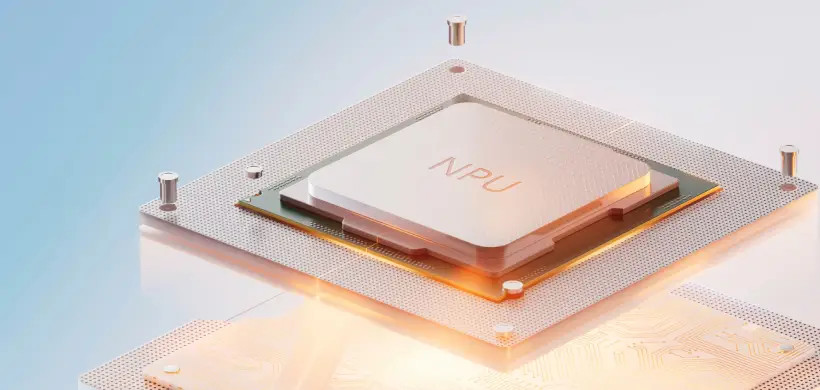
The hardware doing the heavy lifting is the NPU. Unlike a CPU (which handles general computing tasks) or a GPU (optimized for graphics), an NPU is purpose-built for the matrix math that underlies machine learning. Running AI workloads on the NPU frees up your CPU and GPU for everything else, which is why Copilot+ PCs tend to feel so responsive even when AI features are running in the background.
Windows 11 is designed to route AI tasks to the right processor automatically. Developers can also target the NPU directly using Microsoft's Windows AI APIs, which means third-party apps—from productivity tools to creative software—can tap into this hardware acceleration as the ecosystem grows.
Battery life benefits as well. Processing AI tasks locally on a power-efficient NPU uses significantly less energy than sending data to the cloud or running everything through the main CPU.
Copilot+ PC vs. Traditional Laptops: What's Actually Different?
Feature | Copilot+ PC | Traditional Laptop |
|---|---|---|
AI Processing | On-device via NPU | Cloud-dependent or CPU-based |
NPU Performance | 40+ TOPS required | Typically under 10 TOPS |
AI Features | Built into Windows 11 | Limited or unavailable |
Battery Efficiency | Higher (NPU optimized) | Varies |
Privacy | Local processing | Data may leave device |
The performance gap is most noticeable in tasks like real-time translation, AI image generation, and video call enhancements. Traditional laptops can run some AI tools, but they're slower and more battery-intensive doing so.
For everyday tasks like browsing, email, and document editing, the difference is less dramatic. The real advantage shows up when you lean into AI-assisted workflows.
Who Should Use a Copilot+ PC?
Copilot+ PCs aren't just for tech enthusiasts. The built-in AI features offer practical value across several use cases:
- Students benefit from Live Captions for lectures in foreign languages, and Recall for quickly finding notes or research.
- Remote workers and professionals get better video call quality through Studio Effects, plus faster multitasking without battery drain.
- Designers and content creators can use on-device image generation and editing tools without expensive software subscriptions.
- Businesses handling sensitive data appreciate that AI processing happens locally, keeping information off external servers.
Choose a Copilot+ PC if AI-assisted productivity, privacy, and battery life matter more than raw graphical power. Opt for a traditional high-performance laptop if your primary workload is gaming or GPU-intensive rendering.
Is the Copilot+ PC Era Just Getting Started?
The short answer: yes. Microsoft has committed to expanding Copilot+ features through ongoing Windows 11 updates, and hardware manufacturers are rapidly releasing new qualifying devices. As more developers build NPU-optimized apps, the value of owning a Copilot+ PC will only increase over time.
If you're due for a laptop upgrade, it's worth checking whether your shortlisted models carry the Copilot+ certification. The NPU requirement ensures a baseline of AI capability that's likely to become the standard for Windows computing—not a premium exception.
Frequently Asked Questions
What is a Copilot+ PC?
A Copilot+ PC is a certified category of Windows laptop or desktop that meets Microsoft's minimum AI hardware requirements, including an NPU with at least 40 TOPS of performance. These devices run AI features locally on-device, enabling tools like Recall, Live Captions, and real-time image generation without relying on cloud processing.
How is a Copilot+ PC different from a regular laptop?
A Copilot+ PC includes a dedicated NPU built for AI workloads, while most traditional laptops lack this hardware or offer far less processing power. This difference means Copilot+ PCs can run Microsoft's AI features faster, more efficiently, and with greater privacy—since data stays on your device rather than being sent to external servers.
What AI features does a Copilot+ PC offer?
Copilot+ PCs come with several built-in AI features in Windows 11, including Recall (a searchable visual memory of your PC activity), Live Captions with real-time language translation, AI image generation in Paint, and Windows Studio Effects for video calls. More features are being added through regular Windows updates.
Is a Copilot+ PC worth buying?
A Copilot+ PC is worth buying if you want AI-powered productivity tools, longer battery life, and enhanced privacy. The on-device processing means faster responses and fewer cloud dependencies. For general computing alone—browsing, email, or light document work—a standard laptop may still suit your needs, but Copilot+ PCs offer a meaningful upgrade for AI-assisted workflows.
Which processors support Copilot+ PC?
Copilot+ PCs currently support Qualcomm Snapdragon X Elite, Snapdragon X Plus, Intel Core Ultra 200V series, and AMD Ryzen AI 300 series processors. Each meets Microsoft's 40 TOPS NPU requirement. The list of qualifying chips is expected to expand as more manufacturers release AI-capable processors.
