 Jul 04, 2026 - 0
Minutes read
Jul 04, 2026 - 0
Minutes read
How to Choose the Best PC Case for Your Build
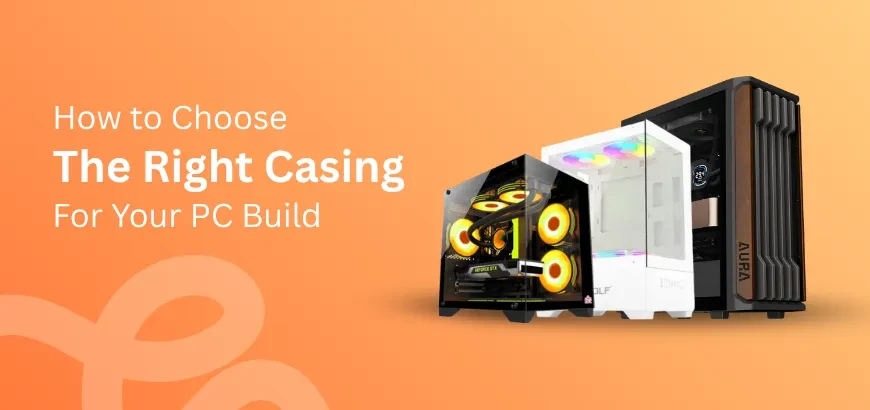
How to Choose the Right Casing.
Choosing the right PC case depends on your motherboard size, component clearances, cooling needs, and budget. The most important factors are case form factor (Full Tower, Mid Tower, or Mini-ITX), airflow quality, and compatibility with your GPU, CPU cooler, and power supply.
Picking a PC case can feel overwhelming—there are hundreds of options, and one wrong choice could mean your components don't fit or your system runs hot. It's not just a box. The right case protects your hardware, supports proper airflow, and sets the foundation for your entire build.
This guide walks you through everything you need to know before buying a PC case. You'll learn how to match a case to your components, which form factor suits your needs, and the key features that separate a great case from a frustrating one. No jargon, no fluff—just practical advice to help you build with confidence.
Why Choosing the Right PC Case Is Important
Most first-time builders focus heavily on the CPU, GPU, and RAM—and treat the case as an afterthought. That approach leads to real problems: components that don't fit, cables with nowhere to go, and temperatures that creep higher than they should.
A well-chosen PC case does several important things. It ensures your motherboard, GPU, and cooler all fit correctly. It supports proper airflow, which directly affects how hot your components run under load. Poor thermal management shortens the lifespan of your hardware, so this isn't a minor detail.
Beyond cooling, a good case makes the building process easier. Cable management channels, removable drive bays, and tool-free panel access all reduce frustration during assembly. And if you plan to upgrade your system down the road, choosing a case with room to grow means you won't have to start over.
How to Choose a PC Case for Your PC Build: Step-by-Step
Follow these steps before purchasing any PC case:
Step 1 — Identify your motherboard form factor. Your case must be compatible with your motherboard size. ATX, Micro-ATX, and Mini-ITX are the three most common. Check your motherboard specifications before anything else.
Step 2 — Check your GPU length. High-end graphics cards can exceed 350mm in length. Every case lists a maximum GPU clearance—confirm yours supports your card with room to spare.
Step 3 — Verify CPU cooler height clearance. Tower coolers, especially tall air coolers, need vertical clearance. Most cases list a maximum CPU cooler height in millimeters.
Step 4 — Consider your storage needs. Count how many SSDs, HDDs, and M.2 drives you plan to use. Make sure the case has enough drive bays and mounting points.
Step 5 — Evaluate airflow and fan support. Look at how many fans the case supports and where. Front intake and rear exhaust is the baseline. More fan slots give you more control over thermals.
Step 6 — Set a realistic budget. Cases range from under $50 to over $300. Mid-range options between $80–$150 typically offer the best balance of features, build quality, and airflow.
Best PC Case Types: Full Tower, Mid Tower, Mini Tower, or ITX?
Understanding form factors is the fastest way to narrow your options.
Full Tower Cases
Full towers are the largest option—typically over 22 inches tall. They support Extended ATX (E-ATX) and ATX motherboards, offer maximum expansion slots, and have room for custom water cooling loops. Full towers suit enthusiasts building high-performance workstations or systems with multiple GPUs and heavy cooling setups. The trade-off is size and cost.
Mid Tower Cases
Mid towers are the most popular choice for a reason. They support ATX, Micro-ATX, and Mini-ITX motherboards, offer solid airflow options, and strike a practical balance between space and footprint. Most mainstream builds—gaming rigs, content creation systems, everyday workstations—fit comfortably inside a mid tower. Brands like Fractal Design, Lian Li, and Corsair offer strong mid tower options at various price points.
Mini Tower and Mini-ITX Cases
Mini-ITX cases are compact by design, built specifically for Mini-ITX motherboards. They're ideal when desk space is limited or portability matters. The trade-off: thermal management is tighter, GPU options may be restricted, and building inside a small case requires more patience. Companies like NZXT (the H1) and Cooler Master (the NR200) have made small form factor cases more beginner-friendly in recent years.
Choose a full tower if you're running a custom water cooling loop or need maximum expansion. Choose a mid tower if you want flexibility, good airflow, and straightforward compatibility. Choose a Mini-ITX case if space-saving is the priority and you're comfortable with compact builds.
Key Features to Look for in a PC Case
Not all cases are built the same. These features separate quality cases from budget disappointments:
- Airflow design: Mesh front panels allow significantly more airflow than solid panels. If thermals matter to you, prioritize mesh.
- Cable management: Look for a roomy PSU shroud, grommeted cable routing holes, and Velcro ties. Clean cable management improves both airflow and aesthetics.
- Fan and radiator support: Check how many fans the case supports and the maximum radiator size it can accommodate if you plan to use liquid cooling.
- Tempered glass side panel: A common feature in modern cases. Looks great, but adds weight. Make sure the panel is secured properly—cheaper cases use screws that strip easily.
- Front I/O ports: At minimum, look for two USB-A ports and an audio jack. USB-C on the front panel is increasingly useful and worth paying for.
- Tool-free access: Thumbscrews and snap-on panels make future upgrades and maintenance faster.
How to Match a PC Case with Your Components
Compatibility is everything. Here's how to cross-check your build:
Motherboard: The case must explicitly support your motherboard's form factor. An ATX case can also fit Micro-ATX and Mini-ITX boards, but a Mini-ITX case can only fit Mini-ITX boards.
GPU: Measure your graphics card's length and cross-reference it with the case's maximum GPU clearance. A 40-series NVIDIA card can exceed 336mm—always verify before purchasing.
CPU Cooler: If you're using a large air cooler like the Noctua NH-D15 (165mm tall), confirm the case supports that height. Most mid towers handle up to 160–170mm without issue.
Power Supply: Most cases use ATX-sized PSUs, but smaller cases sometimes require SFX or SFX-L units. Double-check before buying.
Case fans included: Some cases ship with fans pre-installed; others don't. Factor in the cost of fans if the case comes empty.
Build Smarter, Not Just Faster
A PC case shapes the entire building experience—and long after that build is done, it affects how your system performs and how easy it is to maintain. Rushing this decision leads to frustrating compatibility issues and costly returns.
Take the time to match your case to your components, think about airflow from the start, and choose a form factor that fits your space and upgrade plans. Doing that upfront saves hours of headaches later.
If you're still unsure which case fits your specific build, forums like Reddit's r/buildapc and sites like PCPartPicker let you cross-check compatibility before you buy—both are genuinely useful resources for any build at any budget.
Frequently Asked Questions
What size PC case do I need?
The size you need depends on your motherboard form factor. ATX motherboards require a mid tower or full tower case; Micro-ATX boards fit in mid towers and smaller; Mini-ITX boards fit in any size, including compact ITX cases. As a general rule, start with your motherboard size and work outward from there.
Is a bigger PC case better?
Not necessarily—it depends on your build goals. Larger cases offer more room for cable management, cooling, and expansion, which makes them easier to build in. However, smaller cases are perfectly capable when components are matched correctly. A bigger case is only better if you actually need the extra space.
How many fans should a PC case have?
Most builds perform well with three to four fans—typically two front intakes and one or two rear/top exhausts. The exact number depends on your component heat output and the case's fan mount locations. High-performance builds with powerful GPUs benefit from more airflow, so aim for at least three fans as a starting point.
Can any motherboard fit in any PC case?
No. Motherboards and cases must share a compatible form factor. An ATX motherboard will not physically fit inside a Mini-ITX case. Most mid tower cases support ATX, Micro-ATX, and Mini-ITX boards, but always confirm compatibility by checking the case's specifications before purchasing.
What is the difference between ATX, Micro-ATX, and Mini-ITX cases?
ATX cases are the largest of the three and support the most expansion slots and components. Micro-ATX cases are mid-sized and offer a balance of features and footprint. Mini-ITX cases are the most compact and are limited to small Mini-ITX motherboards with fewer expansion options. ATX is best for versatility; Mini-ITX is best for space-constrained builds.
